🏛️ Platform Structure
An Inform design is organised into four main sections, each representing a different stage of the design exploration and decision-making process.
Together, these sections support a complete workflow: Generate → Explore → Trends → Compare, moving from model interaction to systematic evaluation and final selection.
Generate
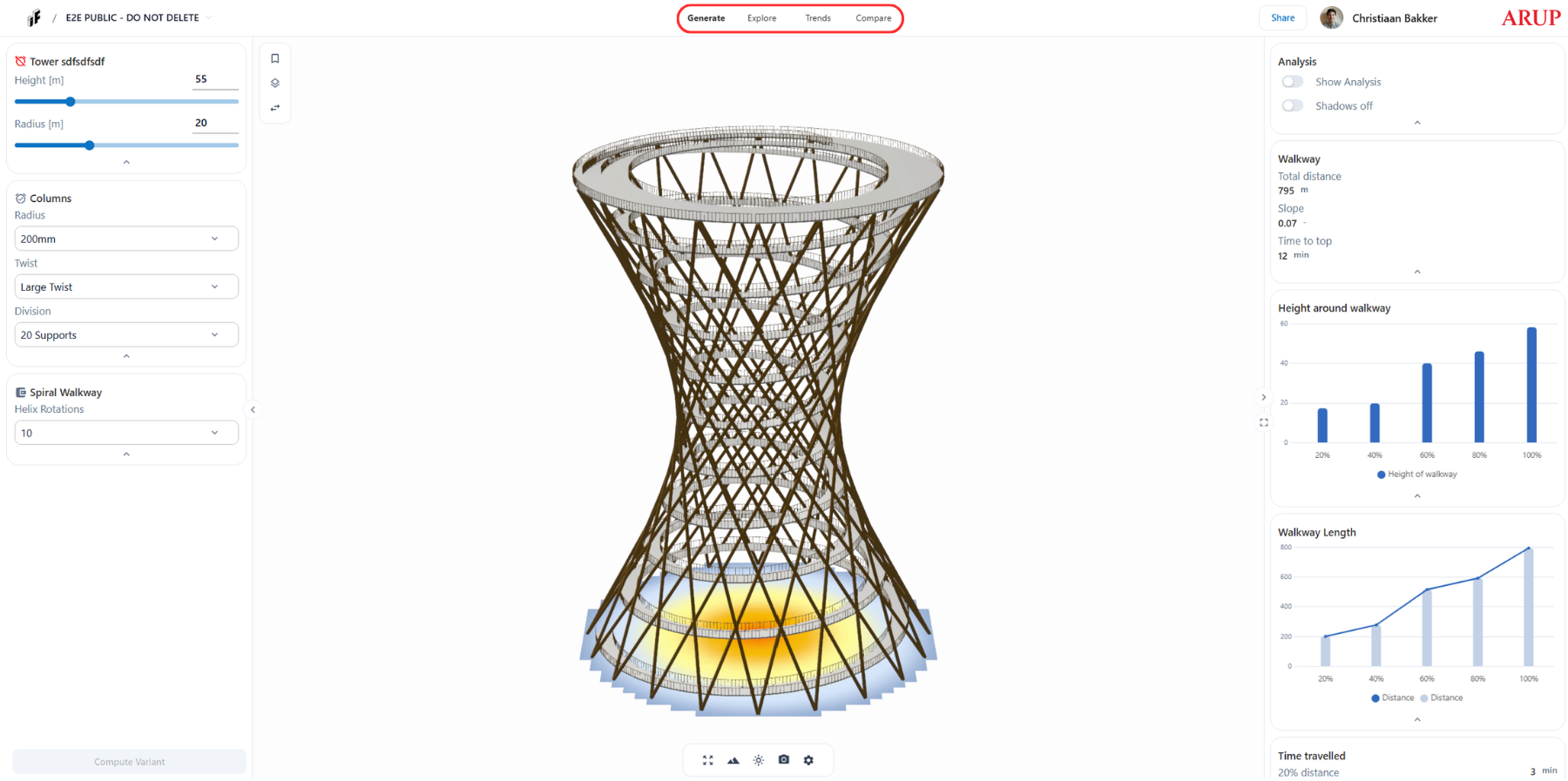
Generate is the primary workspace for interacting with the design model.
This section is used to:
- Adjust input parameters coming from the Grasshopper script
- Preview geometry updates in real time
- Review charts and outputs produced by the model
- Manually explore design options one configuration at a time
Generate is where design intent is tested and refined, and where the first variants are created.
All interactions in this section directly influence what becomes available for further analysis.
➡️ Go to the Generate Section documentation to learn more about inputs, presets, layers, the geometry viewer, and charts.
Explore
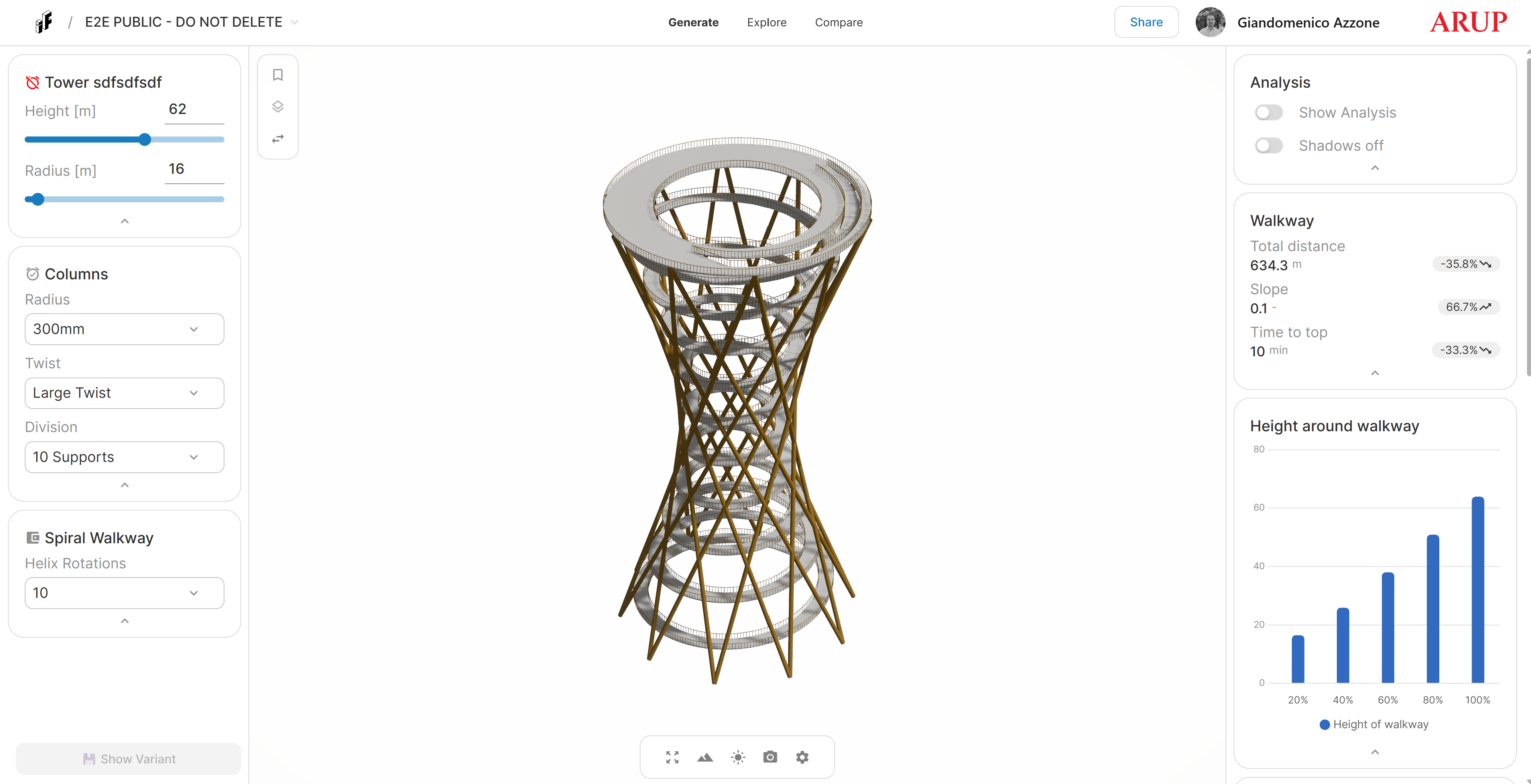
Explore is the analysis and optioneering environment of the platform.
This section becomes available after:
- The design has been published, and
- A ParameterSpace has been created
Explore allows users to:
- Visualise all explored variants simultaneously
- Compare variants across multiple inputs and outputs
- Filter the design space using performance-driven criteria
- Identify trends, trade-offs, and outliers
Rather than evaluating options one by one, Explore enables a data-driven understanding of the entire solution space.
➡️ Go to the Explore Section documentation to learn how to use ParameterSpace, filter variants, create presets, and export data.
📈 Trends
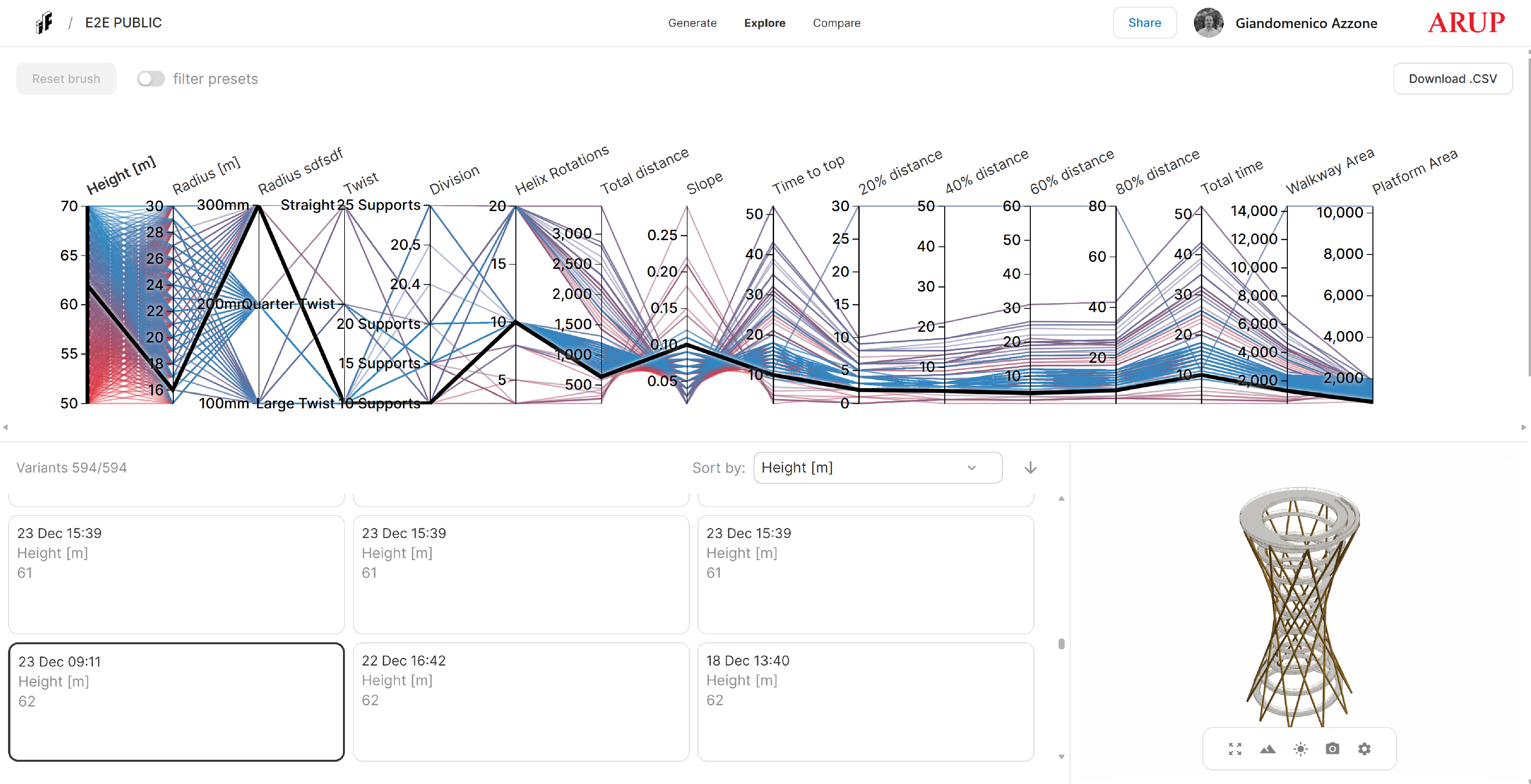
Trends is the data-analytics section of the platform.
This section becomes fully available after:
- The design has been published, and
- 30 designs have been computed.
Trends allows users to:
- Explore regression relationships between inputs and outputs
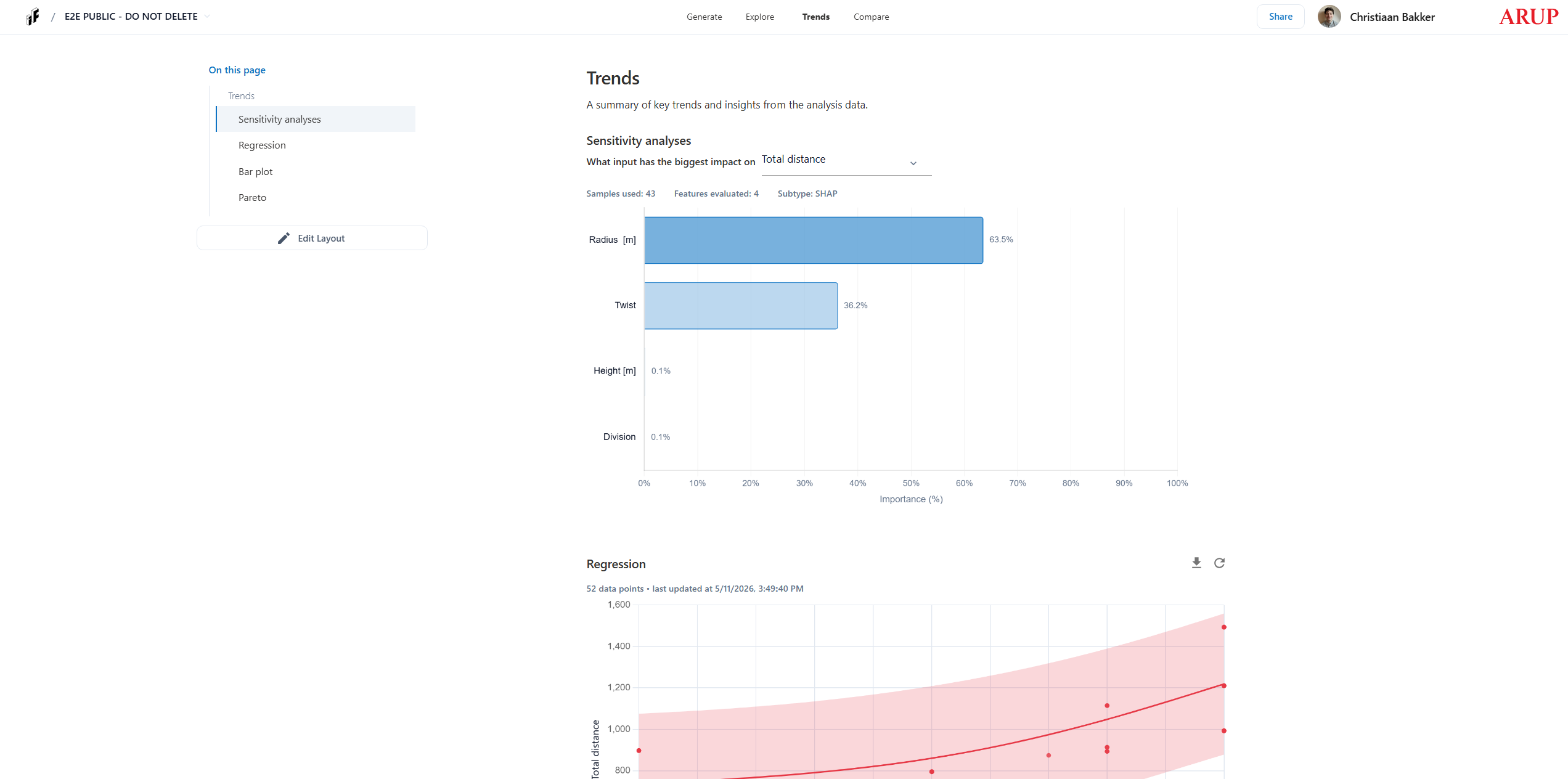
- Run sensitivity analyses to identify which inputs drive performance
- Visualise Pareto fronts to understand trade-offs between competing objectives
- Compare outputs with bar plots showing mean and spread across categorical values
➡️ Go to the Trends Section documentation to learn how to use different analytics.
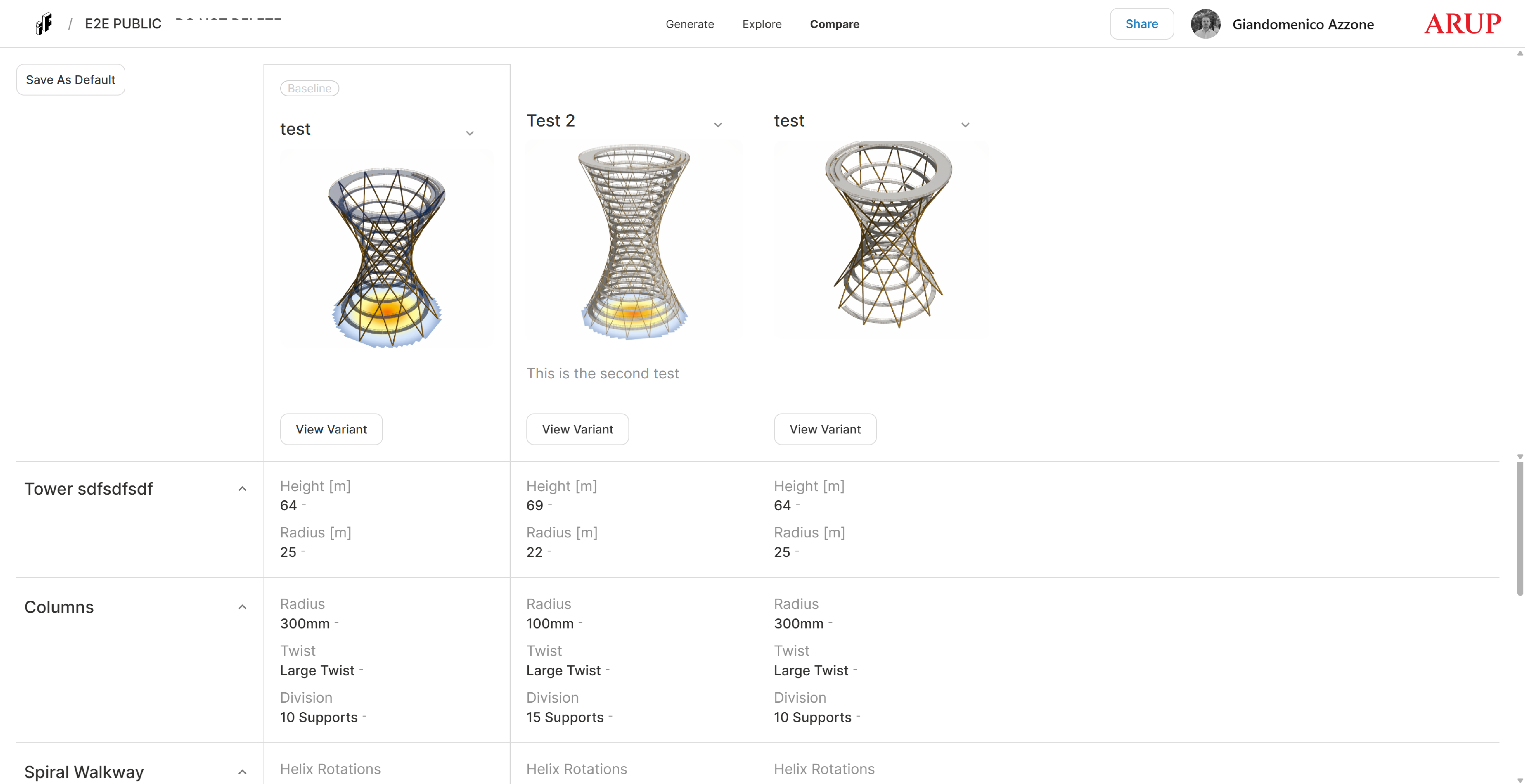
🆚 Compare
Compare is the decision-support section of the platform.
This section becomes available after:
- At least two presets have been created
Compare is used to:
- Analyse selected presets side-by-side
- Focus on a small number of shortlisted options
- Review performance metrics and qualitative differences
- Support final design decisions and recommendations
Compare represents the final step in the workflow, transforming exploration results into actionable conclusions.
➡️ Go to the Compare Section documentation to learn how to review presets and perform detailed comparisons.
🧠 Typical Workflow
A typical InForm workflow follows these steps:
- Generate – interact with the model and explore initial variants
- Explore – analyse and filter the design space using ParameterSpace
- Trends – compare many different designs through analytics
- Compare – review shortlisted options and support decision-making
Each section builds on the previous one, ensuring a structured and transparent design exploration process.