Highlight (H)
Generate a visually emphasized data list in the InForm sidebar, ideal for highlighting key numbers, KPIs, or important summary metrics.
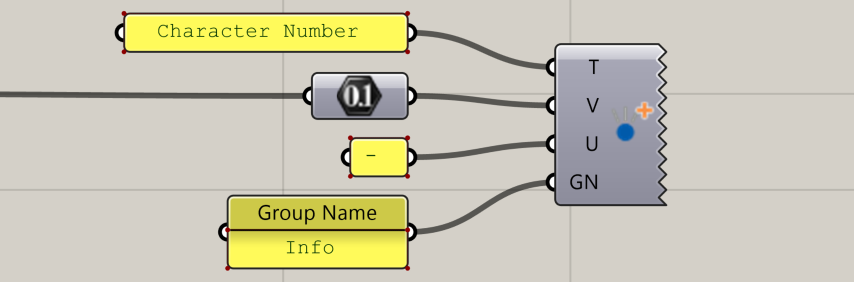
📸 Component Screenshot
📂 Component Location
Tab: 3. Charts
📝 Description
The Highlight (H) component displays a list of values similar to Data List (DL) but with a more prominent visual style, making key numbers stand out in the InForm interface. Titles, values, and optional units can be grouped using the Group Name input.
📁 Example File
🔌 Inputs
| Abbrev. | Full Name | Type | Description |
|---|---|---|---|
| T | Title | Text | List of short, clear titles for each highlighted value. |
| V | Values | Number or Text | List of numerical or text values to emphasize. |
| U | Unit | Text | Optional list of units (e.g., %, m², kWh). |
| GN | Group Name | Text | Group identifier to organize highlights under shared sections. |
🔄 Outputs
This component has no outputs.
After providing inputs, the highlighted data list is automatically rendered in the InForm platform.