Pipe Polyline (PP)
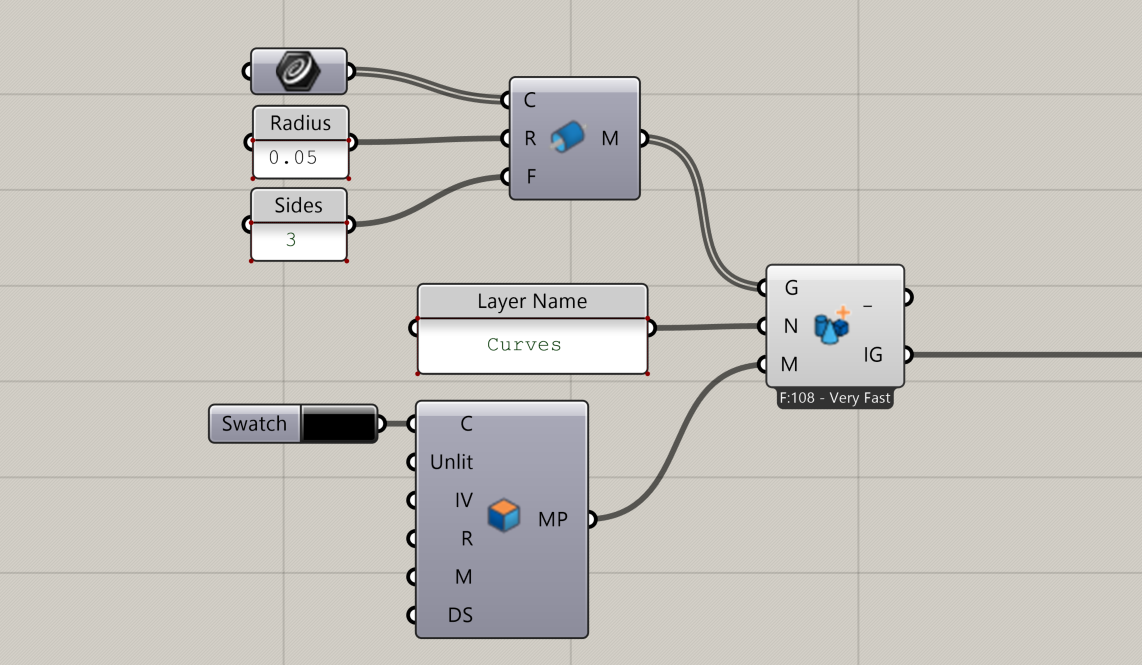
Create a lightweight pipe mesh around a curve by converting it to a polyline and generating a polygonal tube. This performs significantly better than Grasshopper’s native Pipe component when sending line geometry to InForm
📸 Component Screenshot
📂 Component Location
Tab: 2. Geometry
📝 Description
The Pipe Polyline (PP) component discretizes the input curve into straight segments, builds a polygonal tube around it, and outputs a mesh.
Use this component instead of the standard Grasshopper Pipe when sending line-based geometry to InF, as it produces cleaner meshes with predictable face counts and reduced computational complexity.
📁 Example File
🔌 Inputs
| Abbrev. | Full Name | Type | Description |
|---|---|---|---|
| C | Curve | Curve | Curve around which the pipe mesh is generated. Automatically converted to a polyline. |
| R | Radius | Number | Radius of the generated pipe. |
| F | Sides | Number | Number of sides for the polygonal cross-section of the pipe. |
🔄 Outputs
| Abbrev. | Full Name | Type | Description | Suggested Connections |
|---|---|---|---|---|
| M | Pipe Mesh | Mesh | Mesh representing the generated pipe with the specified number of sides. | Connect to the Geometry (G) input of the Geometry Layer (GL) component in InForm |