Local Compute on InForm
Step 2: Upload and View Variants in InForm
tip
New to InForm? Learn how to create your Inform page and upload your Grasshopper script in the Connect to Platform guide.
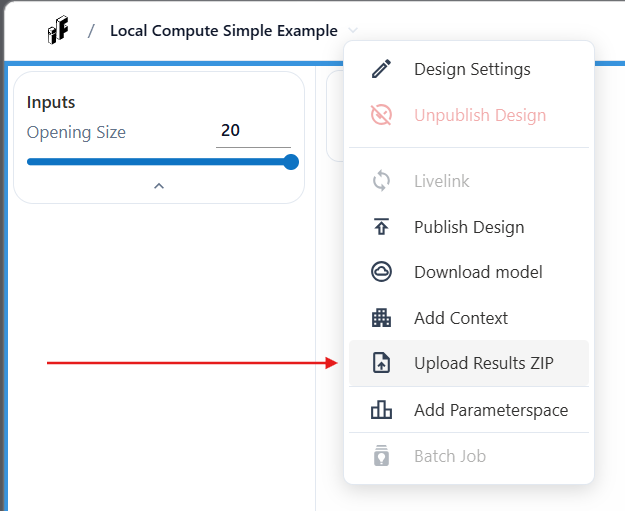
- Create you new design on InForm and upload your grasshopper script. Once your design is uploaded, click on the design title. From the menu, select Upload Results ZIP.
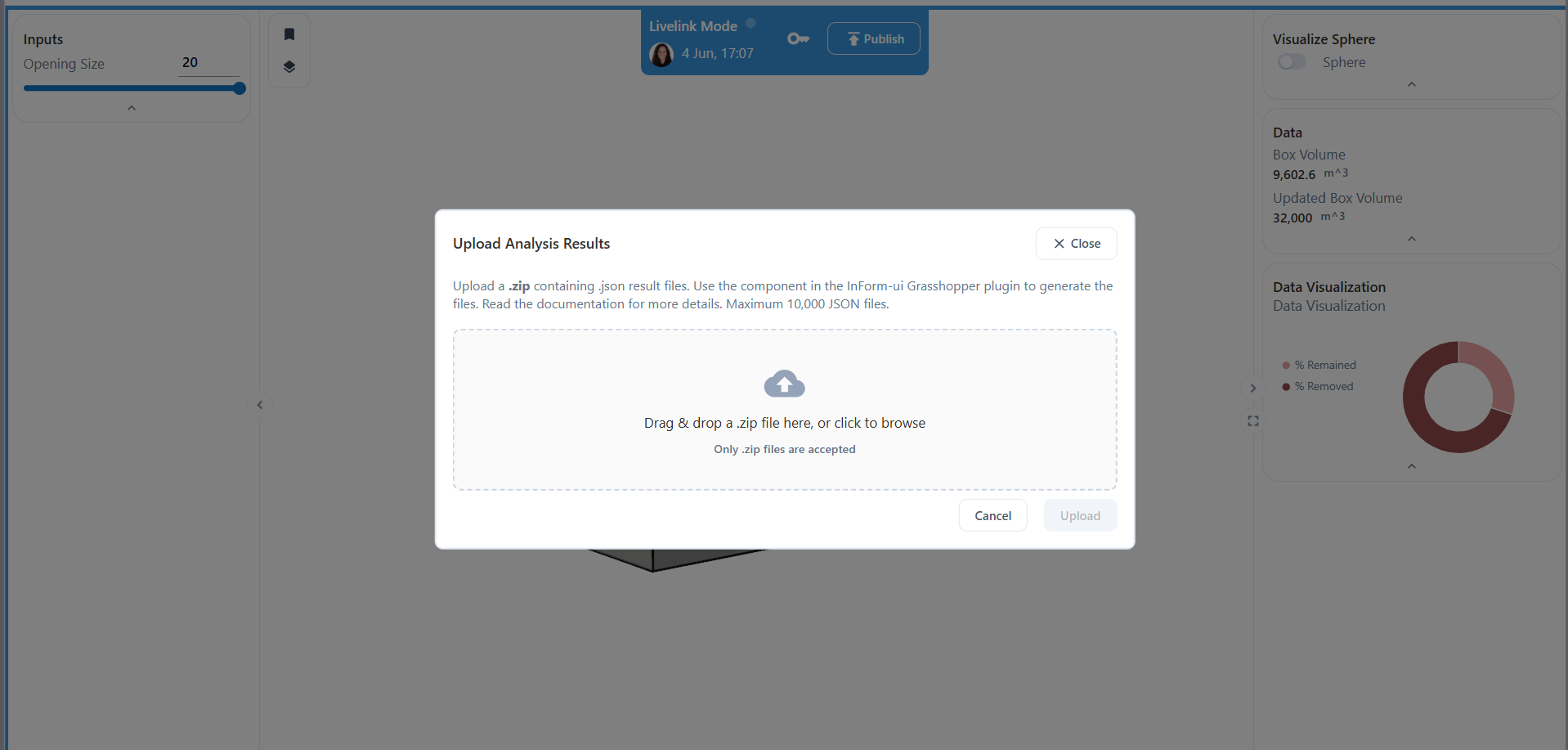
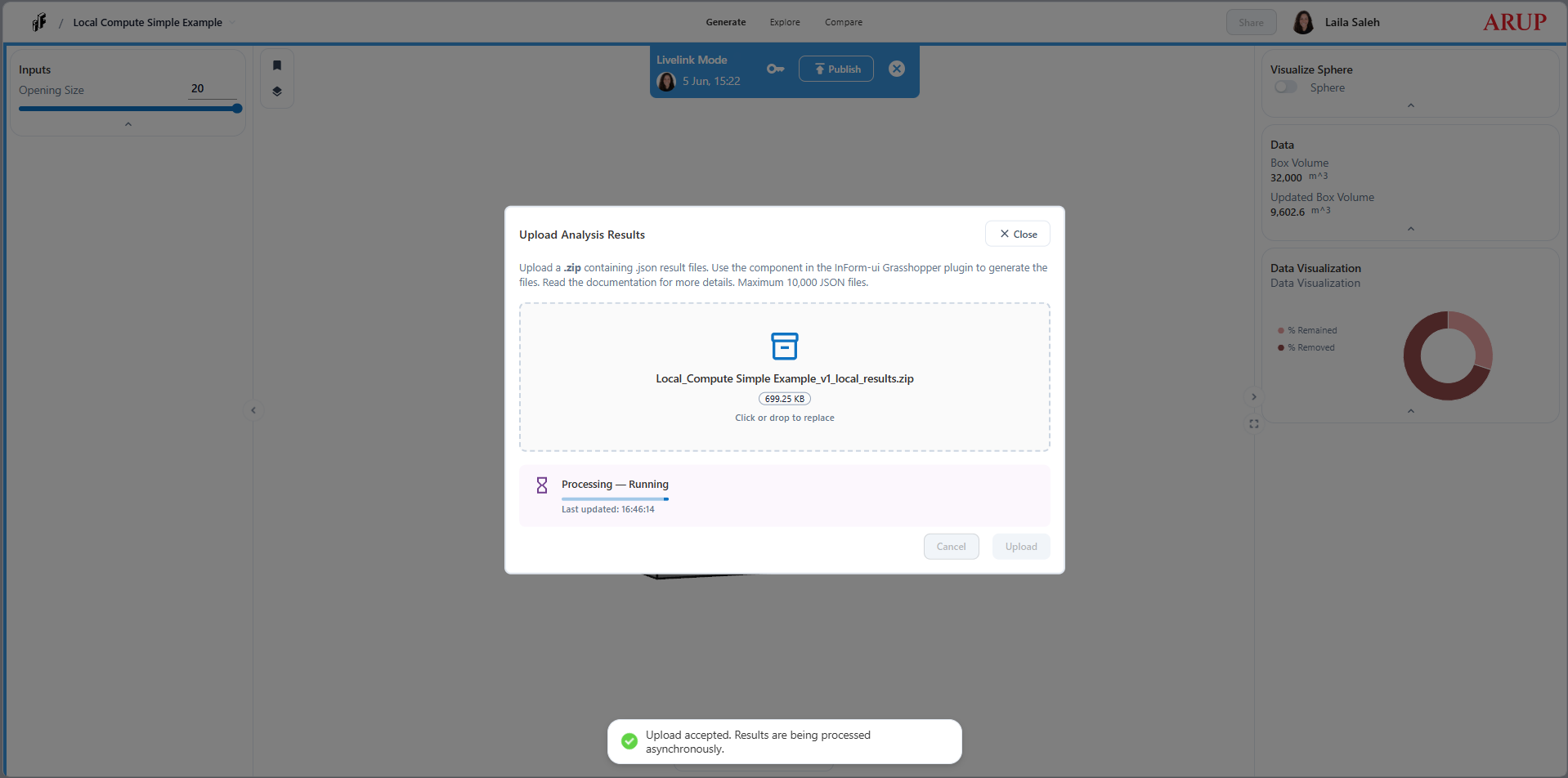
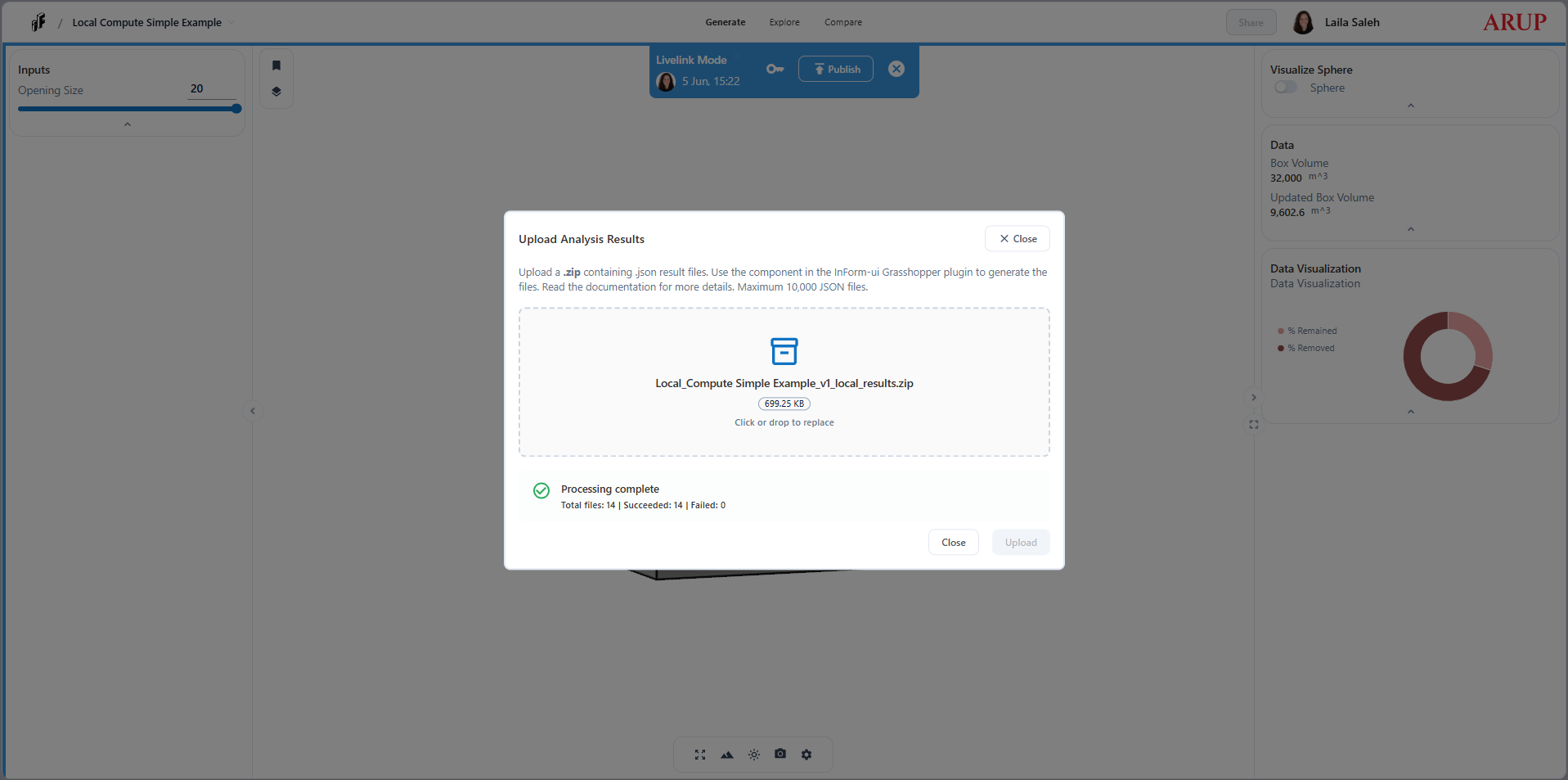
- Drag and drop your ZIP file into the upload area, or select it manually. Then click Upload.
- Go to the Compare tab to explore and interact with your results.
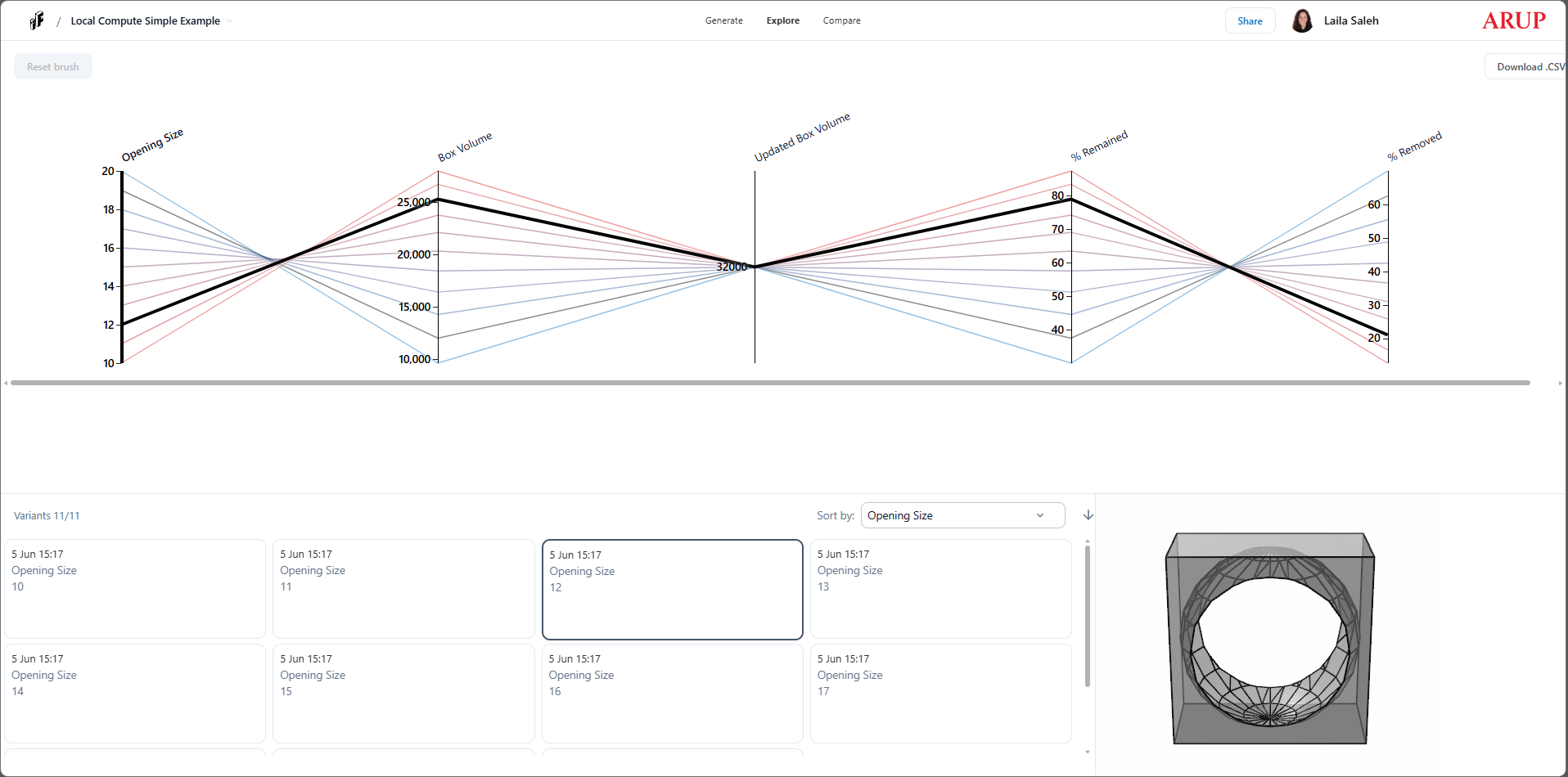
Your variants are now available in Inform and ready to explore 🎉